01 · AI courses for HR · Recorded
Course AI in HR AI tools and agents for everyday HR work.
An online course on using artificial intelligence in HR — from choosing an AI tool to building your own AI agents. 12 classes: ChatGPT, Claude, Gemini and Copilot on HR tasks; AI in recruiting, onboarding, learning, performance, rewards, employer brand, HR analytics and retention; AI agents and your own no-code HR tools.
Recorded course · start right after payment
- 12classes, up to 45 min
- Practicein every class
- 1 yearof access
- Diplomaon Accredible

Mike Pritula — founder of Pritula Academy, 21 years in HR, 170,000+ students.
Our students work at























What is AI in HR — and where it already works.
AI in HR is the use of artificial intelligence in people management: recruiting, onboarding, learning, performance, rewards and HR analytics. It covers both chat assistants like ChatGPT, Claude, Gemini and Copilot and the AI features built into HR systems. AI takes on the routine — writing, searching, summarizing, first-pass analysis — while decisions about people stay with humans.
How to bring AI into HR: start with repetitive, text-heavy tasks with a clear output — job posts, emails, answers to employees, survey summaries. Decide upfront which employee and candidate data may go into AI services and which may not. Check which AI features your HR system already has, and pick one or two main tools instead of paying for five similar subscriptions.
HR specialists
Learn AI tools, including ChatGPT and Claude, and hand them writing, CV screening, learning materials and reports.
HR leaders
Map AI across your HR system and plan its rollout in HR processes: where it’s needed, what it costs, and where human decisions must stay.
Recruiters and L&D specialists
Take a vacancy through AI from request to shortlist, and build a mini-course and training video in a single class.
Need one area in more depth?
Recruiting — AI in Recruiting. Performance — AI in Performance Management. Learning — AI in Employee Training. Agents — AI Agents for HR. All — AI courses for HR.
Where to start with AI in HR — in a minute.
Check the tasks that eat most of your time. See which ones to hand to AI first, and the classes where we cover them.
Start with these tasks
Simplified: tasks are ranked by the rule “repetitive, text-heavy, clear output first”. Before you start, decide which employee data must not go into public AI models — covered in class 9.
Get the course — $450 →Watch a sample lesson before you pay.
A free 29-minute lesson in English on what AI in HR means in practice for HR teams.
You can discuss the course and AI in HR in the academy’s open Telegram chat for English-speaking students.
Join the chat →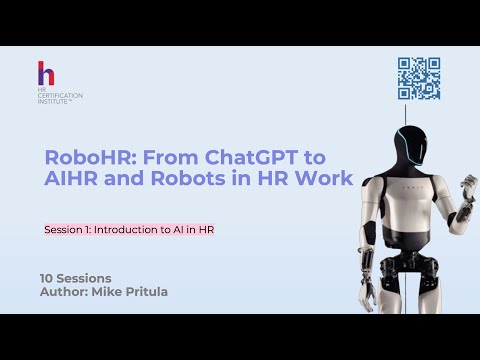
12 classes: AI in every HR function.
First, which AI tools to choose and what’s already built into your HR system. Then a class each on recruiting, onboarding, learning, performance, rewards, employer brand, HR analytics and retention. Finally, AI agents and your own no-code HR tools. Every class includes practice and homework reviewed by the course author.
01The AI landscape and embedded AI in HRIS
- How the AI market for HR has changed: standalone AI → AI inside HR systems → agents
- 5 levels of AI maturity in HR: from manual ChatGPT to autonomous HR agents
- Which HR tasks are already built into modern HRIS
- Workday Illuminate: AI for recruiting, talent, skills, workforce management and employee experience
- SAP Joule: the AI assistant inside SAP SuccessFactors and working with HR data
- Rippling: AI on top of one employee database, payroll, IT and HR
- HiBob: AI features for HR teams and managers
- Leena AI: employee service delivery and HR knowledge assistant
- Embedded AI vs a standalone AI tool: when each pays off
- How to check which AI features your HRIS already has and what you already pay for
- HR tech stack audit checklist: where AI exists, where it’s missing, where features overlap
- Practice: map AI across your own HR system
02The working four: ChatGPT vs Claude vs Gemini vs Copilot
- How the four main AI assistants really differ
- ChatGPT: an all-round HR tool — files, research, data analysis and agents
- Claude: long documents, projects, analysis, building tools and working with context
- Gemini: Google Workspace, Gmail, Docs, Sheets, Drive and company knowledge
- Microsoft Copilot: Teams, Outlook, Word, Excel, PowerPoint and Microsoft 365
- Testing the same HR tasks on all four
- Which is best at writing, analysis, research, spreadsheets and documents
- GPTs, Claude Projects, Gems: building a personal HR assistant
- How to load policies, procedures, the competency model and other company knowledge
- Deep Research: researching the labor market, competitor practices and HR trends
- How to choose 1–2 main AI tools and not pay for five similar subscriptions
- Practice: build your own HR AI assistant
03AI in recruiting and sourcing
- The AI recruiting map: sourcing → screening → interview → evaluation → hiring
- LinkedIn AI: candidate search, recommendations and LinkedIn Recruiter with AI
- SeekOut: AI sourcing and finding hard-to-reach profiles
- Eightfold: candidate matching and skills intelligence
- Paradox: conversational recruiting and communication automation
- HireVue: interviews, assessments and AI features
- Metaview: automatic interview notes, summaries and analysis
- Where AI really cuts time-to-hire and where it just adds another tool
- AI-generated job descriptions and job ads
- Building a sourcing strategy with AI
- CV screening and comparing candidates with a success profile
- Interview copilot: questions, notes, scorecard and final assessment
- Risks of bias, privacy and automated decisions
- Practice: take one vacancy through AI from request to shortlist
04AI in onboarding and HR service delivery
- Why onboarding is ideal for AI automation
- Leena AI as an HR service desk and employee assistant
- Enboarder: automating employee journeys
- An AI bot on top of company policies, guides and knowledge base
- Turning hundreds of HR documents into one “ask HR” interface
- FAQ → knowledge base → RAG → AI assistant
- Answering questions on pay, leave, benefits, remote work and policies
- Personalizing onboarding by role, country and department
- Automatic reminders for the employee and manager
- Measuring HR bot quality and preventing hallucinations
- Live demo: building an onboarding / HR service chatbot
- Practice: design a 30-day AI onboarding journey
05AI in learning and development
- How AI changes ADDIE and classic instructional design
- Building a course outline in minutes
- Turning SME materials into full learning content
- Synthesia: corporate AI videos and avatars
- HeyGen: video, avatars, translation and localization
- Sana: AI-native learning platform
- 7taps: building microlearning
- PDF / slide deck / policy → course
- AI-generated quizzes, cases, simulations and role plays
- Personalized learning paths
- An AI tutor for employees
- Localizing one course into dozens of languages
- Practice: build a mini-course and training video in one class
06AI in performance and talent management
- What an AI-enabled performance cycle looks like
- Goals → check-ins → feedback → review → development plan
- Lattice AI: performance management support
- Culture Amp: performance + engagement intelligence
- Eightfold Talent Intelligence: skills, mobility and talent matching
- An AI helper for managers writing performance reviews
- Summarizing 360 feedback
- Finding contradictions and patterns in feedback
- Calibration with AI
- Creating an individual development plan
- Skills inference: what skills an employee has without a manual skills assessment
- Internal mobility and finding candidates inside the company
- Succession planning with AI
- Where an AI recommendation ends and a human people decision begins
- Practice: run a full performance cycle for one employee
07AI in rewards and job grading
- Where AI is used in compensation & benefits
- Payscale: market pricing and compensation intelligence
- Ravio: compensation benchmarking on current data
- How AI helps with salary benchmarking
- Deep Research on pay: pulling data from several sources
- Cleaning and normalizing pay data
- Building salary ranges: min / midpoint / max
- Compa-ratio, range penetration and outlier analysis
- AI for job matching: comparing roles with the market
- Job evaluation and draft grading
- Pay equity and salary anomaly analysis
- Compensation recommendations for managers
- Why AI must not make the final pay decision
- Practice: build ranges and draft grades for several roles
08AI in employer brand and communications
- AI as a full HR content factory
- EVP → topics → content plan → copy → images → video → publishing
- Canva AI for HR content
- Midjourney for employer brand visual concepts
- Creating a consistent visual style with AI
- AI photos and images of employees: possibilities and risks
- Generating job ads for different channels
- One piece → LinkedIn + Instagram + Telegram + email + careers site
- Personalizing communications for different employee personas
- Analyzing employee and candidate reviews
- Employer brand monitoring and sentiment analysis
- AI analysis of Glassdoor, Indeed, social media and other sources
- Building a content pipeline with minimal HR effort
- Practice: create a week-long employer brand campaign in one class
09HR analytics with AI
- Why generative AI lowers the barrier to people analytics
- Visier: people analytics and AI
- One Model: unifying HR data and analytics
- Which HR data you can analyze directly in ChatGPT and Claude
- CSV/XLSX → plain-language questions → insights
- Headcount and workforce analysis
- Turnover and retention
- Recruitment funnel
- Absenteeism
- Performance
- Compensation
- Engagement
- Finding correlations and anomalies without Python
- Automatic executive summaries
- Making AI check its own calculations
- Privacy: which employee data must not go into public AI models
- Practice: upload an HR export and build a mini people analytics report in 30 minutes
10AI agents in HR
- How an agent differs from a chatbot, a workflow and a plain prompt
- Agentic HR: AI that doesn’t just answer but carries out a sequence of actions
- Trigger → reasoning → tools → action → memory → oversight
- Zapier Agents: agents on top of business apps
- Make: visual AI workflows
- n8n: more flexible agentic workflows
- ChatGPT agents: options for personal and team automation
- Agent 1: Recruiting Agent — gathers information and prepares a shortlist
- Agent 2: HR Service Agent — answers employees and routes requests
- Agent 3: HR Analytics Agent — pulls data, analyzes it and produces a report
- Human in the loop: where an agent must stop and ask a person
- Permissions, privacy, logs and action control
- How to calculate an AI agent’s ROI
- Practice: take apart three working agents node by node
11Your own no-code AI tools
- Why HR no longer has to wait for IT for every internal tool
- From idea to working prototype in one class
- Claude Artifacts: quick interactive HR tools
- Lovable: building a full web app with prompts
- ChatGPT Canvas and today’s rapid prototyping options
- How to brief AI with a product specification
- Interface, logic, data and calculation rules
- Tool 1: Interview Scorecard
- Tool 2: Salary Calculator / Grading Tool
- Tool 3: Performance Review Assistant
- How to test the AI tool you built
- When you can use a prototype yourself and when it needs IT/security review
- Practice: every participant builds their own HR mini-app
12AI in engagement and retention
- The new engagement cycle: listening → analysis → action → measurement
- Culture Amp: AI engagement analysis
- Workday Peakon Employee Voice: continuous listening
- Qualtrics AI: employee experience and feedback analysis
- Building an engagement survey with AI
- Checking question quality and survey structure
- Analyzing thousands of open comments
- Sentiment + themes + reasons for dissatisfaction
- Segmenting results by department and employee group
- Automatic action plans for managers
- Retention analytics: which signals are linked to leaving
- What AI can and can’t predict about attrition
- Stay interviews with AI
- AI-assisted exit interviews
- Exit interview analysis: why people really leave
- The risks of “predicting” a specific employee will leave
- Practice: from a mass of employee comments to the top 5 issues and an action plan
One course — or the whole academy.
This course
All 12 recorded classes, practice, homework reviewed by the author and a diploma. Start right after payment, 1 year of access.
Get the course →Annual subscription
175+ academy courses, 155+ already in English — including this one and other AI courses for HR. Classes, homework review and diplomas for every course.
Subscribe →From payment to diploma.
- Start right after paymentA recorded course: video, slides and materials for every class in your student account, on desktop or phone. 1 year of access.
- Practice with reviewAn AI map of your HR system, your own HR assistant, a vacancy from request to shortlist, a mini-course, a report from an HR export, your own HR tool. The course author reviews assignments and gives feedback.
- Case discussions in the chatParticipants discuss their cases in the Telegram chat.
- DiplomaComplete the course assignments and get an Accredible diploma with a unique code.
Learn on your phone
The course fits in your pocket.
- Same login as on desktopVideo, slides and files for every class — in the iPhone and Android app.
- Synced progressStart a class at your desk — finish it on the way home.
- Homework from your phoneOpen the assignment, write your answer, attach a file and submit it for review.
Use it at work
AI-assisted hiring — and the whole funnel on one screen.
PapaHR is an AI-native HR platform built by Mike Pritula, with the academy’s methods inside. Its Hiring section shows the vacancy and candidates by stage: new, screening, interview, test task, offer. You can see where each candidate came from, and there’s a candidate scorecard — the same hiring process that class 3 takes through AI from request to shortlist.
Try PapaHR for free →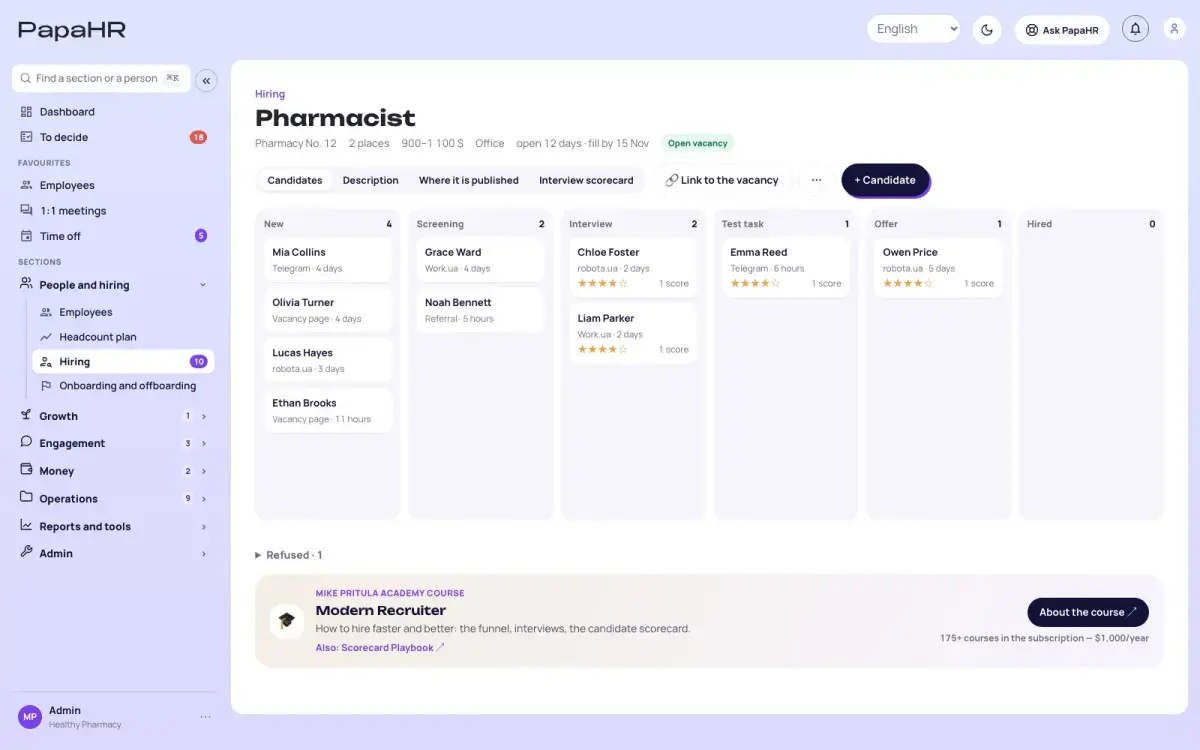
- Freefor up to 25 employees
- 30+modules — from job opening to exit interview
- 18ready-made surveys
- 5interface languages
- Telegram · Slack · Teamsand works on your phone
A diploma that shows on LinkedIn.
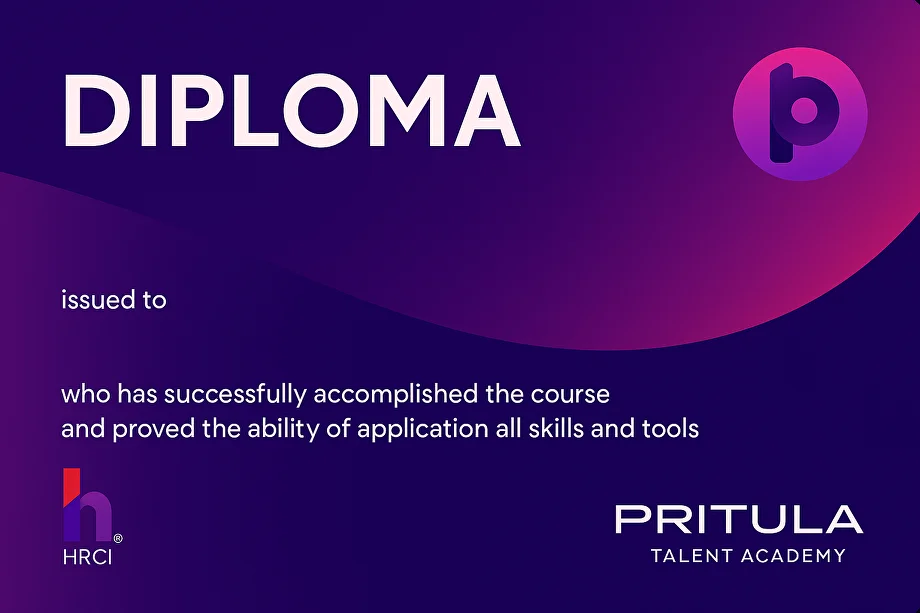
After the course you receive a diploma in your name on Accredible — the same platform that issues certificates for Google, Udacity and Kaplan University.
- ✓ A unique code on every diploma — impossible to forge
- ✓ The QR code leads to an online version an employer can verify
- ✓ Add it to your LinkedIn profile in one click
- ✓ Available in English

Taught by Udemy’s #1 HR instructor.
The academy is built on Mike’s 21 years of HR practice.
- #1 HR instructor on Udemy — 1.9M enrollments
- PapaHR is free for up to 25 employees
- 21 years in HR: Wargaming, Preply, iDeals, Starlightmedia, Alfa-Bank, PeopleForce
- Certifications PHRi, SHRM-CP, HCI sHRBP; HRCI representative in Eastern Europe
- Two YouTube Silver Play Buttons
What graduates say.

“I now clearly understand the strategic value of AI tools for my role and the company as a whole — for example in recruitment, efficiency and talent retention. I got to test and evaluate these tools in practice.”Inna SalataHR Manager, LotusFlare LinkedIn profile →

“The introduction of AI in HR provided an excellent understanding of how AI technologies can be applied in recruiting, candidate sourcing, and new employee adaptation.”Yuliia VekhovaIT Recruiter, Underhood.dev LinkedIn profile →
Reviews come from the surveys graduates fill in when they receive their diploma.
Frequently asked questions.
What is AI in HR?
AI in HR is the use of artificial intelligence in people management: recruiting, onboarding, learning, performance, rewards and HR analytics. It includes chat assistants like ChatGPT and Claude and AI features built into HR systems. AI takes on the routine; decisions about people stay with humans.
How is AI used in HR?
In recruiting: job ads, sourcing and screening, interview summaries (class 3). In onboarding: an HR bot on top of policies and the knowledge base (4). In learning: courses, quizzes and videos from existing materials (5). In performance: 360 summaries and development plans (6). Then pay ranges and grades (7), employer brand (8), HR analytics (9), surveys and retention (12).
Where should you start with AI in HR?
With repetitive, text-heavy tasks with a clear output: job ads, emails, answers to employees, survey summaries. Decide upfront which employee and candidate data may go into AI services and which may not, and check which AI features your HR system already has — that’s class 1.
Which AI tools does HR need?
Usually one or two main tools are enough. In class 2 we test the same HR tasks on ChatGPT, Claude, Gemini and Copilot — which is best at writing, analysis, spreadsheets and documents — and how to pick your set without paying for five similar subscriptions.
How is an AI agent different from a chat assistant?
A chat assistant answers a single request. An AI agent carries out a chain of steps on its own: it takes a task, uses the right systems and data, and completes it. Class 10 walks through three HR agents and the points where an agent must stop and ask a person.
Do I need to code?
No. We analyze HR data in plain language, without Python (class 9), and build our own HR tools — such as an interview scorecard or a pay range calculator — without code (class 11).
Can I upload employee data to AI?
Not all of it. Which employee data must not go into public AI models is covered in class 9; access rights, confidentiality and controlling AI agents’ actions are in class 10.
How much is the AI in HR course?
The course alone is $450. It’s also included in the $1,000 annual subscription, which opens 175+ academy courses, 155+ already in English.
How does the course work and when does it start?
The recorded course opens right after payment: 12 classes of up to 45 minutes, practice and homework reviewed by the author, and an Accredible diploma. Access lasts 1 year, and you can study on your phone too.
Is the course included in the subscription?
Yes. The $1,000 annual subscription opens 175+ academy courses, 155+ already in English — including this one and other AI courses for HR.
More AI courses for HR
Still have questions? Write to us.
Telegram WhatsApp info@pritula.academy Academy student chat on Telegram →