Mike Pritula Academy
Recorded · available now
04 sessions · 45 min
HR middle+
01 · Course · Mike Pritula Academy

Prompt Engineering for HR

4 sessions to build a personal AI stack covering 90% of HR tasks — recruiting, assessment, L&D, onboarding. Not a prompt collection. A prompt engineer's system of thinking.

!
We teach in Claude — works everywhere. We give a transfer map to ChatGPT and Gemini. The techniques stay with you even when a new LLM arrives in six months.
🎥Recorded · available now
⏱️Self-paced · watch anytime
📚4 × 45 min
🎓Accredible diploma
Course modules
01
Module 01
P · Prompt Architecture
02
Module 02
A · Advanced Techniques
03
Module 03
I · Intent Context
04
Module 04
R · Real Agents
53%
HR using AI in 2026
vs 26% in 2024
52%
Talent leaders deploying
AI agents in 2026
−90%
Time-to-fill at Unilever
after AI rollout
40+
Prompt templates
in course library
02 · Problem space

Three pains that kill
AI in your HR

53% of HR teams use AI in 2026. But for 73% of talent leaders, the key skill of 2026 is not «prompting», but critical thinking. Because without a system, AI delivers three predictable problems.

Pain 01
Quality

My prompts produce mediocre results — too much fluff, hallucinations, irrelevant output

35%
of recruiters fear AI will miss
strong candidates with unique backgrounds

Pain 02
Speed

I rewrite the same prompt 10 times — no system, results vary every run

×10
Iterations per prompt without a system —
hours that go nowhere
Pain 03
Scale

I can write prompts, but I can't build AI workflows or autonomous agents

52%
of talent leaders are deploying AI agents in 2026.
Agent market — $11.79B
From pain to system
Solution · PAIR HR Framework

Not a prompt collection.
A maturity pyramid for HR prompt engineers.

Each of the 4 PAIR layers solves one specific pain. This isn’t 40+ scattered templates — it’s a sequential system, where every next session is impossible without the previous one.

P
Prompt Architecture
→ solves: Quality
7 prompt blocks · RISEN · CRISPE · CREATE. Remove fluff and hallucinations at the input.
A
Advanced Techniques
→ solves: Quality + Speed
CoT · ToT · ReAct · Self-Consistency. The model thinks deeper, you write less.
I
Intent · Context Engineering
→ solves: Speed
Claude Projects, Custom GPTs, Gems, RAG. Set up once — runs for months.
R
Real Agents & Workflows
→ solves: Scale
Agentic workflow · MCP · n8n. Your processes run without you, 24/7.
03 · Why take it

Not for beginners.
For those already
working with AI.

If you already use ChatGPT or Claude but feel like you're stuck at the same level — this course will turn your scattered experience into a system.

01 · Who it's for

HR middle+
at advanced level

R
Recruiter / Sourcer
You already use AI for sourcing, but not systematically. You want to stop writing 10 prompts a day from scratch.
B
HRBP / HR Generalist
You need a system for assessment, feedback, development, communications. You want autonomous workflows, not one-off prompts.
L
L&D / T&D specialist
You design learning with AI. You want to build Projects/Gems for your knowledge base and launch courses faster.
D
HR Director / Head of HR
You're rolling out AI on your team and need to know what actually works. 52% of talent leaders are already deploying agents — you want to be among them, not catching up.
02 · What you'll master

4 layers of PAIR HR

P
Prompt Architecture7 blocks, 4 classic frameworks
A
Advanced TechniquesCoT, ToT, ReAct, Self-Consistency
I
Intent ContextProjects, Custom GPTs, Gems, RAG
R
Real AgentsAgentic workflow, MCP, n8n
03 · What you'll get

5 tangible
artifacts

  • Personal AI stack for 90% of HR tasks
  • 40+ prompt templates across all HR functions
  • Corporate HR Project in Claude
  • 3 ready-to-deploy HR agents
  • Accredible diploma after defense
04 · How it works in your stack

We teach in Claude. Works everywhere.

Every feature in the course has an equivalent in ChatGPT and Gemini. We provide a transfer map — the technique stays with you even if the model changes.

What we do
Claude
ChatGPT
Gemini
Corporate assistant
Projects
Custom GPTs
Gems
Long documents
Artifacts
Canvas
Canvas
Deep reasoning
Extended Thinking
o3 / reasoning
Deep Think
Autonomous agent
MCP + Skills
Actions
Extensions
04 Architecture · 4 layers of mastery

Not a bag of tricks — a system.

Each layer works on its own. Every next layer — amplifies the previous one. Four blocks compose a personal AI stack that covers 90% of HR tasks — and doesn't break when a new LLM arrives in six months.

L1 BASE · Prompt Architecture
7 prompt
blocks

Prompt

Not «write a prompt», but a 7-block architecture: role, context, task, format, constraints, examples, verification. The foundation every other layer rests on.

L2 TECHNIQUES · Advanced Reasoning
CoT ToT · ReAct
Self-Consistency

Advanced

Chain-of-Thought, Tree-of-Thought, ReAct, Self-Consistency. Techniques that turn the model from «answering» into «thinking». Applicable in any LLM — Claude, ChatGPT, Gemini.

L3 CONTEXT · Intent Engineering
3 context layers
Projects · RAG · Memory

Intent

How to give the model the right context: Projects, RAG, Memory, Custom Instructions. Stop copy-pasting the same thing into every window — the model remembers on its own.

L4 AGENTS · Real Workflows
Agentic
MCP · n8n

Real Agents

The final layer. AI agents that do the work for you. Agentic mode, MCP servers, n8n automation. Not an «assistant», but an autonomous executor.

Flagship layer
Full stack →
Not «I use AI».
But I work in AI.
04 · Course program

4 sessions.
4 layers of PAIR.
One AI stack.

Each session is a complete AI workflow you build right in the lesson. By the end of the course you have a ready-to-use personal stack covering 90% of HR tasks.

P
Prompt
Architecture
A
Advanced
Techniques
I
Intent
Context
R
Real
Agents
P
Session 01P · Prompt Architecture45 min
Anatomy of a prompt that works: 7 blocks
Module 01recorded · self-paced
+
What we cover in the session
  • 017 blocks of advanced prompts: Role, Context, Task, Examples, Constraints, Format, Validation
  • 024 classic frameworks: RISEN, CRISPE, CREATE, RTF — when to use which one in HR
  • 03Why role and context drive 70% of answer quality. Common mistakes of advanced HR users
  • 04Few-shot examples: how to «show, not tell» the model what you need
  • 05Validation block: how to make the model check itself before showing the answer
Session AI-workflow
Job Description builder
We assemble a 7-block prompt for hiring a Senior Backend Developer. In 10 minutes — a production-ready JD with no fluff, no hallucinations, with a compensation band, tech stack, and culture fit.
After the session, you
You can write prompts using the 7-block architecture. You command 4 frameworks. You take away 10 templates for HR tasks: JD, role description, resume summary, candidate email.
Cross-Platform Note
Prompt architecture is universal. In Claude we configure it via Styles. In ChatGPT — via Custom Instructions. In Gemini — via System Prompt in Gems.
A
Session 02A · Advanced Techniques45 min
CoT, ToT, ReAct: how to make AI think deeper
Module 02recorded · self-paced
+
What we cover in the session
  • 01Chain-of-Thought (CoT): «Think step by step» and why it gives +30% accuracy on HR tasks
  • 02Self-Consistency: how to get 5 answer versions from the model and pick the most reliable one
  • 03Tree-of-Thoughts (ToT): branching decisions for multi-criteria candidate assessment
  • 04ReAct (Reasoning + Acting): how the model decides on its own which steps and tools to use
  • 05Combining techniques in one prompt: Role + CoT + Few-shot + Format
Session AI-workflow
Candidate assessment via Tree-of-Thoughts
We analyze an HRBP candidate's resume through ToT: the model builds a tree «strengths to risks to culture fit to recommendation». You get a structured report you'd be proud to show the CEO.
After the session, you
You command 6 advanced reasoning techniques. You know when to use which. You can combine them in one prompt. You save hours on rewrites.
Cross-Platform Note
The techniques work everywhere, but Claude Extended Thinking uses CoT natively. In ChatGPT — the o3 models. In GeminiDeep Think mode.
I
Session 03I · Intent Context Engineering45 min
From prompt to context: Projects, RAG, memory
Module 03recorded · self-paced
+
What we cover in the session
  • 01The 2026 shift: from prompt engineering to context engineering. Why context is the new paradigm
  • 02Claude Projects: how to build an HR assistant with your company policies, regulations, templates
  • 03Custom Instructions and System Prompt: «configure once, use forever»
  • 04RAG explained simply: how AI «reads» your documents without an API or developer
  • 05Memory and managing context between sessions: stop starting from scratch every time
Session AI-workflow
Corporate HR assistant in Claude Projects
We build a Project with 10 company documents: hiring policy, onboarding checklist, compensation band, role glossary. We run multi-session work: ask a question — get an answer accounting for ALL documents at once.
After the session, you
You can configure Projects, Custom GPTs, Gems for your own company. You build a knowledge base, manage context between sessions. Your AI assistant knows your company better than a new hire.
Cross-Platform Note
Same idea — «context container». In Claude it's Projects. In ChatGPTCustom GPTs. In GeminiGems. We'll show the setup in Claude + the differences in ChatGPT and Gemini.
R
Session 04R · Real Agents45 min
Autonomous HR agents: from workflow to n8n
Module 04recorded · self-paced
+
What we cover in the session
  • 01Difference between a prompt, a workflow, and an agent: what you can hand off to AI «turnkey»
  • 02Multi-step workflow: prompt chains where the output of one is the input of the next
  • 03MCP (Model Context Protocol) and tool use: how an agent reads Gmail, Calendar, Sheets
  • 04n8n: a no-code visual builder for agentic workflows. 3 ready HR scenarios
  • 05Agent governance: where you need human-in-the-loop, where you don't, and how not to do harm
Session AI-workflow
End-to-end onboarding automation
We build an agentic workflow on n8n + Claude via MCP: a new hire lands in HRIS → the agent generates a welcome email, a 30-day onboarding plan, a paperwork checklist, schedules Calendar meetings. No manual work.
After the session, you
You can design agentic workflows. You know ReAct, function calling, MCP. You take away 3 ready-to-deploy HR agents: onboarding, screening, survey analytics.
Cross-Platform Note
Agent = LLM + tools. In Claude — via MCP and Skills. In ChatGPT — via Actions in Custom GPTs. In Gemini — via Extensions. n8n works with all three.
4 self-paced modules. Recorded course with full access. Accredible diploma after defending your personal AI stack in the final session.
Enroll for $500
06 Pricing · Choose your pack

One subscription — the whole academy.

Three packs. One obvious choice. The same amount this course costs unlocks access to 160+ courses of the academy — not a discount, but a different product category.

Standalone v1.0
Prompt Engineering
One course · 1-year access
$ 500 per year
/ 1 seat
  • 1-year access to the Prompt Engineering course
  • 4 sessions × 45 min — recorded, self-paced
  • 40+ prompt templates for HR tasks
  • Transfer map for techniques across Claude / ChatGPT / Gemini
  • Homework review and personal dashboard
  • Accredible diploma upon completion
Choose course
Most chosen · 2026
Subscription 160+ courses
Full academy
Prompt Engineering + 160 courses · 1 year
$ 1,000 per year
/ 1 seat
The math
$500 + $500 = 160+ courses
The price of one more course — for access to 160+ courses worth $100,000
  • Everything from Prompt Engineering for HR (included)
  • + 160+ courses of the academy across all HR domains
  • New courses release weekly — included in your subscription
  • All Accredible diplomas + updates
  • Homework review and personal dashboard
  • Single annual access — no extra fees for new content
Choose subscription
Team 3—10 seats
Team subscription
For an HR team of 3—10 people
$ 2,500 per year
/ team
from $250 per seat
  • Everything in the subscription, for a team of 3—10
  • 160+ academy courses for every team member
  • Personal dashboard + homework review for each
  • Accredible diplomas for everyone
  • Unified team management
  • Implement the HR system as a team
Choose for team
FAQ
I only need this course — why pay more? +
Then take the standalone course for $500. But compare: for +$500 you get another 160 academy courses across all HR domains. That's different math, not «paying more».
What's inside the $1,000 subscription? +
160+ academy courses across all HR domains: recruiting, L&D, Performance Management, Total Rewards, Employer Brand, HR analytics, AI in HR, and much more. Plus new courses every week — included in your subscription, no extra fees. SHRM-SCP and HR MBA are premium programs outside the subscription.
Who is the team pack for? +
For HR teams of 3—10 people learning AI tools together. When a team goes through the course at the same time — a shared language emerges, a common prompt library, rollout speed triples.
Is the subscription annual or monthly? +
Annual only. The academy doesn't work in «try a month and leave» format — implementing an HR system takes time. At $1,000/year you get strategic access to the entire knowledge base.
08 Process · How it works

How learning works — step by step.

Nothing fancy: recorded sessions, practice, author feedback. The whole academy has worked this way for 14 years — 150,000 students have gone through this model.

01
Recorded · self-paced

Online session

Recorded video lessons at your own pace — watch when it suits you. All sessions stay in your personal dashboard.

02
Homework · author feedback

Homework with author review

Every session has a practical assignment. The course author personally reviews your homework and gives feedback. No homework, no diploma.

03
Telegram · community

Open academy chat

570+ HR in the EN academy chat: discuss cases, share prompts, find like-minded people. An important part of the learning.

04
Dashboard · all materials

Personal dashboard — full library

Session recordings, slides, 40+ prompt templates, transfer map for Claude/ChatGPT/Gemini, quizzes, homework. All in one place, available 24/7 for a year.

05
Accredible · verified diploma

Diploma on Accredible

After completing assignments — a personal diploma with a unique code on Accredible (same platform as Google, Udacity, Rosetta Stone). Integrates with LinkedIn in one click.

Outcome → Not just a course you watched. A system you implemented.
09 · Free pass · Live access

Not ready to buy? Come for free.

A Telegram bot sends Zoom links to the first sessions of all academy courses — live, on the launch schedule. No spam. No subscription. Just hit «Start».

● LIVE ACCESS

First sessions of all courses — live

Telegram bot · @mikepritulahrbot

MP
Mike Pritula bot
online · @mikepritulahrbot
Hi! I send links to the free first sessions of all academy courses — live, on the launch schedule. Hit «Start» and I'll send a Zoom link 15 minutes before every session. 14:32 ✓✓
  • 📩Auto-notifications about every course launch
  • 🎙️Zoom link 15 min before each session
  • 📊Templates and resources as a gift
  • 🔕No spam — just session announcements
Connect via the bot

1 click · bot opens in Telegram · no subscriptions, no spam

10 Credentials · Verified diploma

A diploma verified by code.

After completing the course, you receive a personal diploma on the Accredible platform — the same one used by Google, Kaplan, Udacity, Rosetta Stone. Unique code, QR verification, one-click LinkedIn integration.
For you Personal
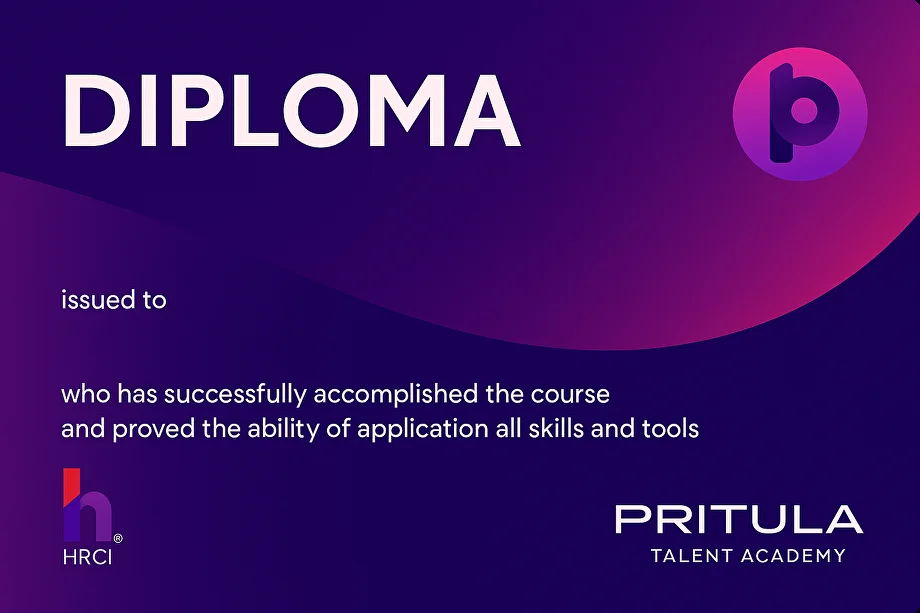
Pritula Academy diploma sample
Preview

Diploma on Accredible

  • Unique code + QR code for the online version
  • One-click LinkedIn integration
  • Accredible platform — the same as Google and Udacity
  • Available in English, Russian, Ukrainian
  • Impossible to fake — verified through the platform
See diploma sample
11 Author & Academy · Who stands behind

Behind the course — a person. Behind the author — a machine.

Founder · Author · Architect

Mike Pritula

Built the HR system at Preply 🦄 on the way to a $1.2B valuation. Author of an HR competency model. 20 years in the industry.

Mike Pritula
Author
Career timeline
Alfa-Bank
HR
Starlightmedia
HR
Wargaming
HR
Preply 🦄
HR lead · $1.2B
iDeals
HR
Mike Pritula Academy
Founder · 2011
01 Sertifications
  • PHRi
  • SHRM-CP
  • HCI sHRBP
  • HRCI representative in CIS
02 Output
  • Book «Million-Dollar Resume»
  • Book «AI in HR»
  • 100+ articles
  • 5M+ views
03 Recognition
  • Silver YouTube
  • Top-10 HR Eastern Europe
  • HR Person of the Year
  • 4 HR teams built

I've worked with AI in HR since 2022 — from «assistant» to agents and automation. This course is my entire stack, packed into 4 sessions.

Mike Pritula
12 Closer · Last call
F · A · Q 8 questions

Got questions?

01 I already use ChatGPT daily. Why do I need this course? +
The course is not for those who've never written a prompt — that's clearly stated in the description. It's for those already at the «I get answers» level who want to move up to «I build systems». You'll get what daily practice doesn't teach: a 7-block prompt architecture, advanced reasoning techniques (CoT, ToT, ReAct), Projects/RAG/Memory for context, and the final layer — AI agents with MCP and n8n.
02 What if I work in ChatGPT / Gemini, not Claude? +
The course is tool-agnostic. We demonstrate everything in Claude (the most advanced for long HR documents), but each session includes a Cross-Platform Note — a direct transfer map: Projects in Claude = Custom GPTs in ChatGPT = Gems in Gemini. Extended Thinking in Claude = o3 in ChatGPT = Deep Think in Gemini. You can apply the techniques in whichever LLM you use.
03 Is the course live or recorded? +
The English version is fully recorded and self-paced. All 4 sessions are available right now in your personal LMS — watch at your own speed, in any order, on any device. One-year access included. Homework and your questions are reviewed personally by Mike Pritula in the course LMS.
04 What exactly do I take away from the course? What is the «AI stack»? +
5 tangible artifacts — not «understanding», but ready-to-use resources: a library of 40+ prompt templates across HR functions, a configured corporate HR assistant in Claude Projects tailored to your company, 3 ready-to-deploy AI agents on n8n (onboarding, resume screening, survey analytics), a personal Cross-Platform reference, and a complete transfer map of techniques between Claude / ChatGPT / Gemini.
05 Will the course suit me if I'm an HR Director, not a recruiter? +
Yes — the course is specifically for HR middle+ in any function. AI workflows in the sessions are universal: an advanced prompt for a JD works for recruiters, HRBPs, and L&D (only the task changes), Tree-of-Thoughts works both for candidate assessment and performance review session planning. 52% of talent leaders already use AI — the course closes the gap between «I use it» and «I built a system».
06 Do I need paid subscriptions to Claude / ChatGPT / Gemini? +
For full completion — a paid Claude subscription is recommended (Pro, $20/mo) at least during the course, because Projects and Extended Thinking are only on paid plans. But: you can practice all techniques on free Claude — features will be limited, but prompt architecture and advanced techniques work the same way.
07 We're an HR team — is there a discount? +
Yes, there's a $2,500 team plan — access for the whole HR team + annual access to all 160+ academy courses. It's better value than buying individually for 3+ people. For larger teams (10+ people) custom terms are available — message the academy's Telegram support and we'll discuss.
08 How do I know the course is right for me before paying? +
Three ways to check before buying: look at the program above — if 80% of the topics are new to you, the course is genuinely about your growth; message the academy's Telegram support with your level and HR function — we'll answer honestly whether it's a fit; read reviews of Mike Pritula's other AI-for-HR courses — they're aggregated on the platform and verifiable via Accredible's unique codes.
13 Contacts · Get in touch

Reach out any way that works for you.

A question about the course, subscription, or team plan — message us on any messenger or email. We reply quickly.

Response time
Usually 1–2 hours during working hours · UTC+2 · Mon–Fri 10:00—19:00