01 · HR technology · On demand
Course HR Automation map and prioritize first, buy the system second, not the other way round.
A course for HR professionals who choose, buy and roll out HR systems. 7 classes on demand: the HR technology map and what to automate first, Core HRIS and how to buy systems, ATS and recruiting, performance and engagement systems, LMS and LXP, the digital workplace and HR Service Delivery, integrations and rollout.
On-demand course · start with a free class “The HR technology map and automation strategy”
- 7classes on demand
- Tasksbased on your own company
- 1 yearof access
- Diplomaon Accredible
170,000+ studentsNPS 80or the whole academy — $1,000 a year

Mike Pritula — founder of Pritula Academy and PapaHR, 21 years in HR.
Our students work at
























What is HR automation?
HR process automation means moving routine HR work into systems: employee data and org structure, time off, hiring, performance reviews, learning and answers to employee requests. At its core is an HRIS, the system of record for employees, surrounded by an ATS for hiring, an LMS for learning, and performance and engagement systems.
Automation doesn’t start with buying a system. First comes a map of HR processes and priorities: what hurts, what repeats every day and where people do manual work. A bad HR process isn’t worth automating.
Three layers of HR technology
- Record
- System of Record: employee data, org structure, absences — Core HRIS Classes 1–2
- Engagement
- System of Engagement: hiring, reviews, learning, employee requests Classes 3–6
- Intelligence
- System of Intelligence: decisions based on data from every system Classes 1, 7
An assignment with feedback for every class.
| Systems | Where in the course | |
|---|---|---|
| Core HRIS | Workday, SAP SuccessFactors, HiBob, Personio, Rippling, Deel, BambooHR, PeopleForce | Class 2 |
| Hiring | Greenhouse, Ashby, Lever, Teamtailor, SmartRecruiters | Class 3 |
| Performance | Lattice, Leapsome, Culture Amp, Workday Peakon, 15Five | Class 4 |
| Learning | Docebo, 360Learning, TalentLMS, Sana | Class 5 |
| Digital workplace | Microsoft Teams, Slack, Workvivo, Staffbase | Class 6 |
| Integrations | APIs, webhooks, Zapier and Make — no developers needed | Class 7 |
Who the course is for
HR directors and heads of HR
Build a set of HR systems that fits the size of the company, calculate the full cost of the systems and justify the budget to the business.
HR managers and HR generalists
Find where the team loses time to manual work and spreadsheets, and choose what to automate first.
HR Operations and HRIS specialists
Choose and roll out an HRIS, set up integrations and a single employee data model.
Heads of recruiting and learning
Choose an ATS or an LMS, automate hiring and learning, and connect them to the HRIS.
After Class 1
You have your priorities — now try them in practice.
In Class 1 you find the processes that eat up the most time. Onboarding, surveys and answering the same employee questions are often among them. In PapaHR you can automate them for free for a team of up to 25 employees: checklists for new hires, ready-made surveys and a knowledge base. Employees use them in Telegram, Slack or Teams.
Try PapaHR for free →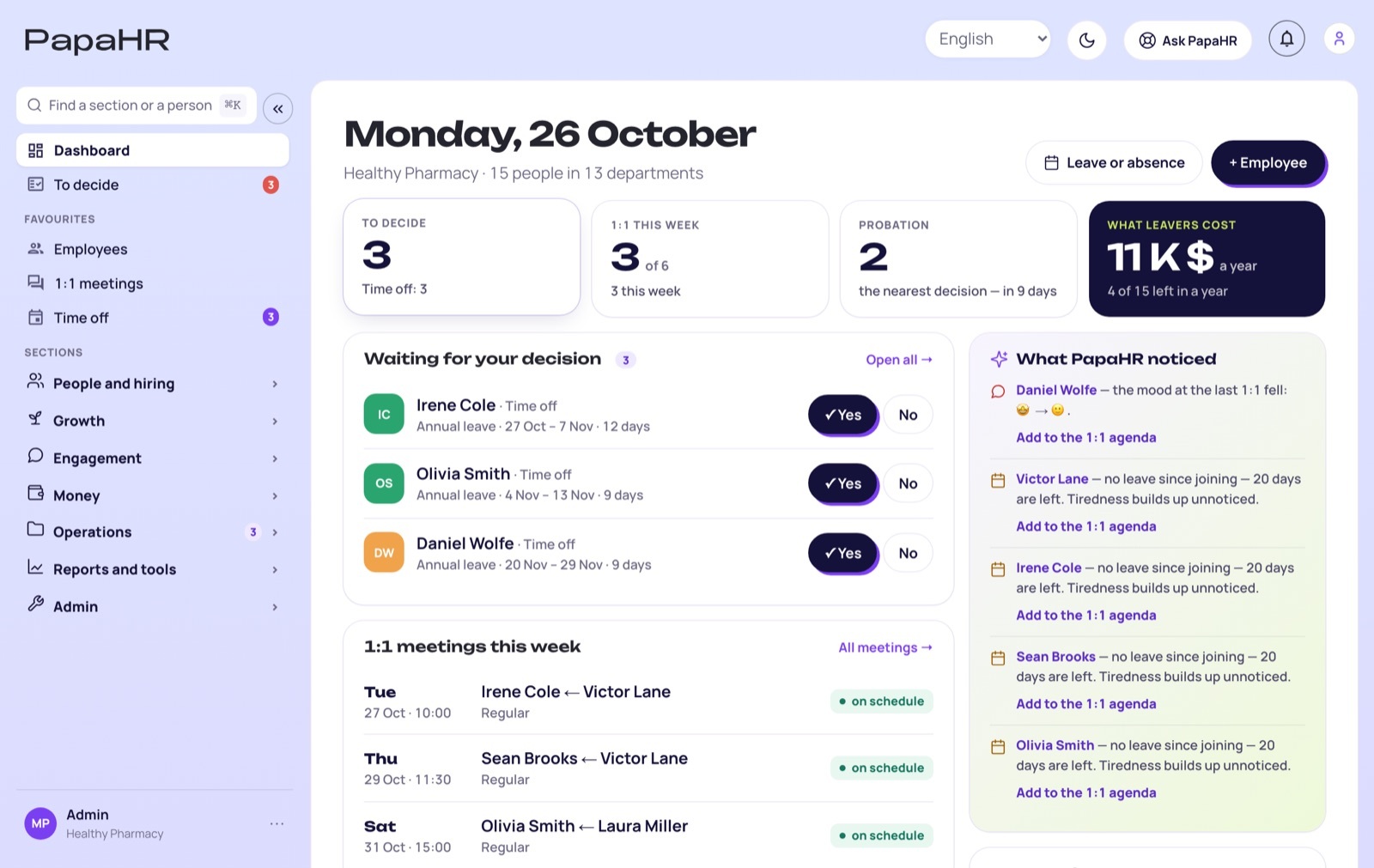
- Freefor up to 25 employees: surveys, knowledge base, onboarding, checklists
- Prowith an academy subscription — up to 50 employees
- 18ready-made surveys
- 5interface languages
- Telegram · Slack · Teamsplus a mobile app
Will automation pay off?
The calculation from Class 1: how many hours a year automating one process frees up and how many months it takes to pay off. The default is one process from the class example: 900 time-off requests a year in a company of 300 employees, 15 minutes per request before automation and 3 minutes after. Enter your own hourly cost and implementation price.
Result
180hours freed up a year
Hours aren’t money yet: they become money when HR spends that time on other work or the company doesn’t need to hire one more person. Class 1.
Buy the course — $350 →Watch a class before you pay.
Class 1 in full, 49 minutes: the HR technology map and the three layers of the stack, why you map your needs first and buy last, the automation priority model and a payback calculation using time-off requests and certificates as the example. The original is in Russian — switch the YouTube audio track to English.
You can discuss the course in the academy’s Telegram chat for English-speaking students (request to join).
Join the chat →
7 classes: from a systems map to a rollout plan.
The course follows the order in which HR systems are chosen and rolled out: strategy and priorities, Core HRIS and buying, then hiring, performance, learning and employee service systems, then integrations and rollout. Every class comes with practice and homework with feedback.
01The HR tech map and automation strategy
- Map of HR system types: Core HRIS, HCM, ATS, LMS/LXP, performance, engagement, compensation, people analytics, HR Service Delivery
- Best-in-class systems or one platform
- System of Record, Engagement and Intelligence: the role of each layer
- The stack for a company of 100, 500, 1,000 and 10,000+ employees
- What to automate first: Impact × Effort × Frequency × Pain
- Why you shouldn’t automate a bad process
- Inventory of HR processes, manual work, spreadsheets and duplicate data
- Potential ROI of automation; what’s essential, what’s nice to have, what can wait
- Practice: audit your HR systems and build an automation heat map
02Core HRIS and how to buy systems
- HRIS, HRMS and HCM: what’s the difference
- What Core HR should include: employee data, org structure, processes, documents, absences
- Workday and SAP SuccessFactors, HiBob and Personio, Rippling, Deel, BambooHR, PeopleForce
- Requirements matrix: 50–100 requirements for an HRIS
- A shortlist of 3–5 systems, RFI/RFP and a demo script based on your processes
- Vendor assessment, integrations, APIs, security, GDPR and SSO
- Total cost of ownership (TCO) over 3–5 years: why the price per employee tells you almost nothing
- Pilot, customer references and negotiating discounts
- Practice: RFP and vendor scorecard, choosing an HRIS
03ATS and recruiting automation
- Hiring systems: careers site → sourcing → ATS → assessment → interview → offer → onboarding
- What an ATS should automate and what is better left to a person
- Greenhouse, Ashby, Lever, Teamtailor, SmartRecruiters on one hiring process
- Job requisition approval, posting, candidate CRM and talent pool
- Interview scheduling, scorecards and structured interviews
- Offers, referrals and recruiting analytics
- AI in the ATS: sourcing, matching, screening, interview notes — where it saves time
- Candidate data, privacy and bias
- Practice: a fully automated hiring funnel
04Performance and engagement systems
- Why spreadsheets and Google Forms stop working as the company grows
- Goals and OKRs → 1:1 → feedback → review → 360 → development
- Lattice, Leapsome, Culture Amp, Workday Peakon, 15Five
- A separate system or a module inside the HRIS
- Automating 1:1s, regular meetings, feedback and recognition
- Performance review, 180°/360°, calibration, 9-box and succession
- Pulse surveys, engagement surveys and the action plan after them
- How to avoid “we bought a system, but managers never log in”
- Practice: a digital review cycle from goals to talent assessment
05LMS and LXP
- LMS or LXP: managing learning or the learning experience
- Docebo, 360Learning, TalentLMS, Sana
- Build or buy: when a company needs its own LMS
- Your own content and external course libraries
- SCORM and xAPI: what HR really needs to understand
- Learning paths, academies, mandatory training and skills training
- AI content and personal recommendations
- Learning analytics: completion rate isn’t what matters most
- Integration with the HRIS, SSO, Teams and Slack; migrating from an old LMS
- Practice: requirements, a shortlist and the structure of a corporate academy
06Digital workplace and HR Service Delivery
- Where employees “live” today and what replaces Workplace from Meta
- Microsoft Teams, Slack, Workvivo, Staffbase
- Employee portal and employee and manager self-service
- HR Service Delivery: request → triage → SLA → resolution → knowledge base
- HR service catalog and a knowledge base built from HR policies
- HR chatbot and AI search across policies; when to hand a request to a person
- Employees without corporate email
- Metrics: volume, SLA, resolution time, self-service rate, CSAT
- Practice: one digital entry point to HR for employees
07Integrations, rollout and adoption
- Core HRIS at the center: one employee ID and one source of truth
- APIs in plain words, webhooks, Zapier and Make without developers
- Example: a new hire in the ATS → HRIS → payroll → Slack/Teams → LMS → IT
- Joiners, movers and leavers: creating and disabling accounts automatically
- Data field mapping, testing and data migration
- Rollout plan: from discovery to launch
- Why HR system projects fail for reasons other than technology: stakeholders and change management
- Adoption dashboard and automation ROI
- Quarterly system review and a 12-month HR automation plan
- Practice: your HR systems architecture and rollout plan
One course — or the whole academy.
This course
All 7 recorded classes, homework review and a diploma. 1 year of access.
Get the course →Annual subscription
175+ academy courses, 155+ already in English — including this one, HR Analytics, AI in HR and HR Trends. Classes, homework review and diplomas for every course.
Subscribe →For teams
175+ courses, 155+ already in English, for a team of up to 10 people — for example, the whole HR team that will roll out the systems.
Buy for your team →From payment to diploma.
- Classes at your own paceVideo, slides and materials for every class are in your student account, on desktop or phone. 1 year of access.
- Homework with reviewA practical assignment for every class, with feedback.
- Questions in the chatYou can discuss the course and your own cases in the academy’s Telegram chat for English-speaking students (request to join).
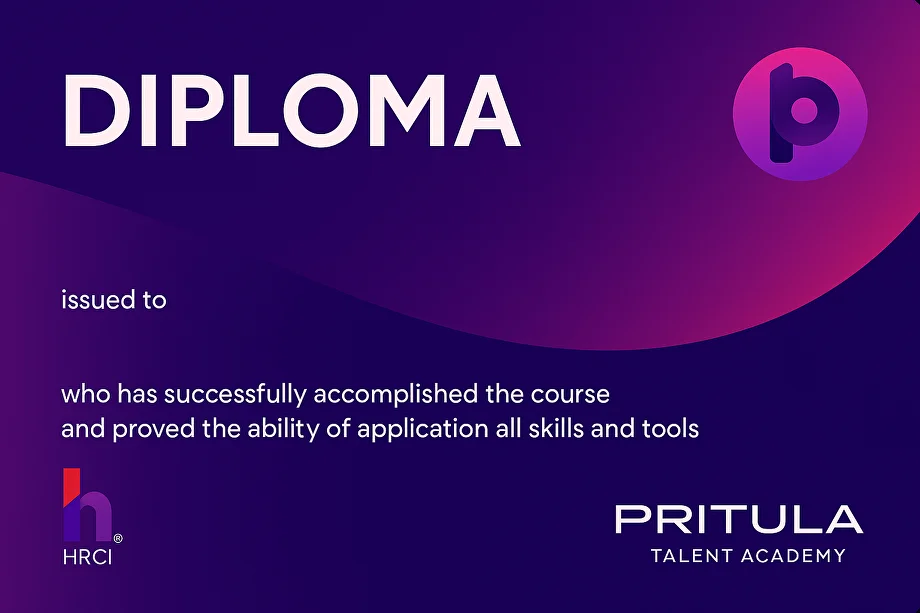
- DiplomaComplete the course assignments and get an Accredible diploma with a unique code.
Learn on your phone
The course fits in your pocket.
- Same login as on desktopVideo, slides and files for every class — in the iPhone and Android app.
- Synced progressStart a class at your desk — finish it on the way home.
- Homework from your phoneOpen the assignment, write your answer, attach a file and submit it for review.
A diploma that shows on LinkedIn.
After the course you receive a diploma in your name on Accredible — the same platform that issues certificates for Google, Udacity and Kaplan University.
- ✓ A unique code on every diploma — impossible to forge
- ✓ The QR code leads to an online version an employer can verify
- ✓ Add it to your LinkedIn profile in one click
- ✓ Available in English

Taught by Udemy’s #1 HR instructor.
The academy is built on Mike’s 21 years of HR practice.
- #1 HR instructor on Udemy — 1.9M enrollments
- PapaHR is free for up to 25 employees
- 21 years in HR: Wargaming, Preply, iDeals, Starlightmedia, Alfa-Bank, PeopleForce
- Certifications PHRi, SHRM-CP, HCI sHRBP; HRCI representative in Eastern Europe
- Two YouTube Silver Play Buttons
How the academy teaches.

“I already actively use the knowledge and tools from the course in my daily work: they let me automate many processes, including recruiting and a recruiting chatbot. The results were noticeable almost immediately.”Olena DanylenkoHRBP, Marketopt LinkedIn profile →

“During the course I took a fresh look at my role as an HR Business Partner: I learned to think more strategically, back decisions with numbers and build systematic analytics.”Elena ZoteaHR Business Partner, Dyninno Moldova LinkedIn profile →

“Studying grading systems, Scorecard and modern recruitment methods was especially useful.”Nigora SaydulloevaHuman Capital Management Director, AG Management LinkedIn profile →

“This course helped me look at my work more systematically, assess myself and review all my processes.”Svetlana SmirnovaHRD, CeoA LinkedIn profile →
Reviews come from the forms graduates fill in when they receive their diploma. The other three reviews are from graduates of the HR Director course.
Frequently asked questions.
What is HR process automation?
Moving routine HR work into systems: employee and org structure records, time off, hiring, performance reviews, learning and answers to employee requests. At the core is an HRIS, surrounded by an ATS, an LMS, and performance and engagement systems. The HR systems map is covered in Class 1.
Which HR processes should be automated first?
The ones with the biggest impact that are easy to implement, repeat often and hurt right now. In Class 1 each process is scored on four criteria from 1 to 5 and the scores are multiplied: 250 points or more means it’s a priority for the next quarter.
What kinds of HR automation software are there?
A Core HRIS for employee records, an ATS for hiring, performance and engagement systems, an LMS and LXP for learning, HR Service Delivery systems for employee requests, and integration tools. The course covers Workday, SAP SuccessFactors, HiBob, Personio, BambooHR, PeopleForce, Greenhouse, Lattice, Docebo and others.
What is an HRIS, and how is it different from an HRMS and HCM?
An HRIS is a system of record for employee data: profiles, org structure, absences, documents. An HRMS and HCM are usually broader: they add hiring, reviews, learning and talent management. What Core HR should include and what the company really needs is covered in Class 2.
How do you automate employee training?
With an LMS or LXP: learning paths, mandatory courses, recommendations and analytics connected to the HRIS and performance reviews. How to choose a system is Class 5; how to roll it out so employees actually use it is Class 7.
How do you choose and buy an HR system?
Build a requirements matrix, shortlist 3–5 systems, run demos on your own scenarios, assess the vendors and calculate the total cost of ownership over 3–5 years. RFP, scorecard and negotiating discounts are covered in Class 2.
How do you calculate the payback of automation?
Work out how many hours a year are freed up, turn them into money and divide the implementation price by the monthly savings. Try the calculator above — it’s the calculation from Class 1.
Can I take the course online?
Yes. All 7 classes are on demand, each with homework and feedback. After the course you get a diploma in your name on Accredible that can be verified online.
Is the course included in the subscription?
Yes. The $1,000 annual subscription opens 175+ academy courses, 155+ already in English — including this one, HR Analytics and AI in HR.
How long do I have access?
1 year from the moment your account is opened.
Can I study on my phone?
Yes. Classes open in the app for iPhone and Android with the same login and password as on your computer, and your progress syncs.
Will I get a diploma?
Yes. Complete the course assignments and get a diploma in your name on Accredible with a unique code and online verification.
More HR technology courses
Still have questions? Write to us.
Telegram WhatsApp info@pritula.academy Telegram chat for English-speaking students (request to join) →